
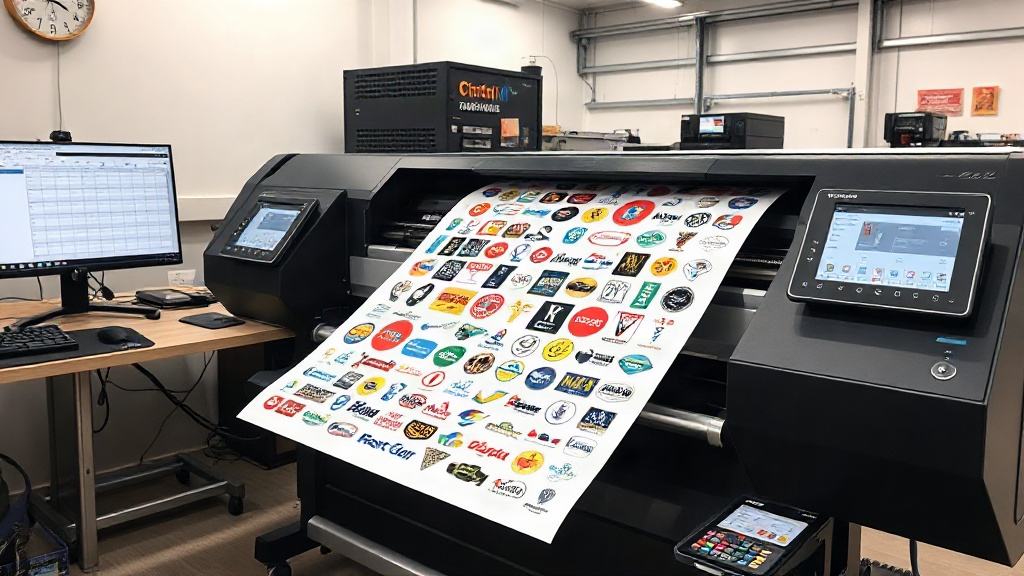
If you're in the custom apparel business, you know that DTF printing has revolutionized the way we transfer designs onto fabrics. But as your order volume grows, so does the challenge of printing efficiently without wasting expensive film and ink. That's where a DTF gangsheet builder comes in. This powerful tool lets you arrange multiple designs on a single sheet, maximizing every inch of transfer film and slashing your production costs. In this article, we'll dive deep into how a gangsheet builder works, why it's a game-changer for your shop, and how to choose the right one for your needs.
What Is a DTF Gangsheet Builder?
A DTF gangsheet builder is software that helps you layout multiple DTF transfer designs onto a single sheet of film, often called a gang sheet. Instead of printing each design individually, you nest them together like a puzzle, using as little film as possible. The builder automatically arranges the images, calculates the best fit, and even adds cut lines or registration marks. The result? You print one large sheet, cut out the individual transfers, and apply them as needed. It's a huge time-saver and dramatically reduces material waste.
Why Gang Sheets Matter for DTF Printing
DTF printing involves printing your design onto a special film, coating it with adhesive powder, and then heat-pressing it onto the fabric. The film and powder are significant costs, so any wasted space directly eats into your profits. By grouping multiple designs onto one sheet, you use the film more efficiently. For example, if you have ten small logos, printing them individually might leave 70% of the film blank. With a gangsheet builder, you can fit all ten on a fraction of the film, cutting waste to under 10%. Over hundreds of orders, those savings add up fast.
How a Gangsheet Builder Works
Most gangsheet builders are cloud-based or desktop applications. You upload your design files (usually PNG with transparent backgrounds), set the desired size for each, and the software arranges them on a virtual sheet. You can often specify the sheet dimensions (e.g., 12x12 inches, 13x19 inches, or custom rolls) and the spacing between designs. Some advanced tools use AI to optimize the layout, rotate images for better fit, and even detect the best nesting pattern. Once you're happy with the layout, you export a single file that you can send to your DTF printer.
Key Features to Look For
- Automatic nesting: The software should intelligently arrange designs to minimize wasted space.
- Custom sheet sizes: Support for various film widths and lengths, including roll-fed printers.
- Design rotation: Ability to rotate images to fill gaps.
- Spacing control: Set precise gaps between designs for easy cutting.
- Cut lines and registration marks: Optional but helpful for trimming.
- File compatibility: Supports PNG, PDF, and other common formats.
- Cloud storage: Save and reuse gang sheets for repeat orders.
Benefits of Using a DTF Gangsheet Builder
Investing in a gangsheet builder is a no-brainer for any serious DTF printer. Here's why:
- Cost savings: Reduce film and powder consumption by up to 50% or more.
- Time efficiency: Prepare complex orders in minutes instead of hours.
- Increased production capacity: Print more designs per hour.
- Consistency: Standardized layouts reduce errors and reprints.
- Scalability: Easily handle large orders with hundreds of designs.
Let's put this into perspective. Suppose you print 100 transfers per day. Without a gangsheet builder, you might use 10 sheets of film. With a builder, you could fit the same 100 transfers onto 6 sheets. That's a 40% reduction in film costs. Plus, you save time by not manually arranging each design.
Real-World Example: A Small Shop's Transformation
Take the case of a small DTF shop in Texas. They were printing individual transfers for local sports teams. Each order had 20-30 small logos. They wasted nearly half their film and spent hours arranging designs manually. After adopting a gangsheet builder, they cut film usage by 45%, reduced layout time from 2 hours to 15 minutes, and increased their profit margin by 20%. They even started offering gang sheet printing services to other shops, creating a new revenue stream.
How to Choose the Right DTF Gangsheet Builder
Not all gangsheet builders are created equal. Here are factors to consider:
- Ease of use: Look for an intuitive interface. If it takes a day to learn, it's not worth it.
- Pricing model: Some charge a monthly subscription, others a one-time fee. Calculate ROI based on your volume.
- Integration: Does it work with your printer's RIP software? Check compatibility.
- Customer support: Quick help when you're stuck is crucial.
- Trial version: Test before you buy. Many offer free trials.
Popular options include DTF Gangsheet Builder tools like GangSheetBuilder.com, DTF Gang Sheet Builder by DTF Printer, and even some RIP software with built-in nesting. Do your research and read reviews from other shop owners.
DIY vs. Professional Software
Some printers try to create gang sheets manually using Photoshop or Illustrator. While possible, it's time-consuming and error-prone. Professional gangsheet builders automate the process, saving you hours and ensuring optimal layout. Unless you have a dedicated graphic designer with spare time, invest in dedicated software.
Tips for Optimizing Your Gang Sheets
To get the most out of your gangsheet builder, follow these best practices:
- Group similar sizes: Nest designs of similar dimensions together for tighter packing.
- Use high-resolution images: Avoid pixelation when scaling.
- Leave adequate spacing: At least 0.1-0.2 inches between designs for clean cuts.
- Consider the grain: Some films have a direction; align designs accordingly.
- Test your layout: Print a small test sheet before full production.
Also, keep your design files organized. Name them clearly and store them in folders by customer or order. This makes it easy to drag and drop into the builder.
Frequently Asked Questions
What is a DTF gangsheet builder?
A DTF gangsheet builder is software that arranges multiple DTF transfer designs onto a single sheet of film to maximize efficiency and minimize waste.
How much can I save with a gangsheet builder?
Savings vary, but many shops report reducing film usage by 30-50%, which directly cuts material costs. You also save time on layout.
Do I need a gangsheet builder for small orders?
Even for small orders, a gangsheet builder can help you combine designs from multiple orders onto one sheet, saving film and time. It's beneficial for any volume.
Can I use a gangsheet builder with any DTF printer?
Most gangsheet builders export standard file formats (e.g., PNG, PDF) that are compatible with any DTF printer's RIP software. However, check for specific printer compatibility if the builder integrates directly.
Is it worth paying for a gangsheet builder?
If you print DTF transfers regularly, the time and material savings typically outweigh the cost. Many builders offer free trials, so you can test before committing.
In conclusion, a DTF gangsheet builder is an essential tool for any DTF printing business looking to scale. It streamlines your workflow, reduces costs, and boosts your bottom line. Whether you're a small shop or a large operation, the right builder can transform your production. Take advantage of free trials, read reviews, and see the difference for yourself. Your wallet and your sanity will thank you.